02 · SaaS · E-signature · 4 min read
Clicksign: what the company didn’t know about signers
Signers on Clicksign barely contact support, so the company knew little about their experience. I cross-checked six data sources to map the signer journey and arrived at 9 opportunities, from clearer emails to access to signed documents.
- Problem
- Signers rarely reach out to support, and the company had little data on their experience.
- What I did
- I cross-checked previous research, conversations with 4 teams, support tickets, NPS, Hotjar and usage data. With a fellow designer, I did the heuristic analysis and the benchmarking.
- Deliverable
- A signer journey map with 9 opportunities.
Two users, one nearly invisible
In e-signature there are two people: the operator, who sends the document, and the signer, who signs it. The operator is the one who talks to support and answers NPS. So signers only showed up indirectly in the company’s data.
My role
I was the UX Researcher on this study, part of an initiative led by design management to improve the experience as a whole. I gathered and analyzed the sources and built the journey map. I did the heuristic analysis and the benchmarking together with a fellow designer.
First, the scope
I mapped the ways to receive a document to sign and the ways signers prove their identity. Then I used usage data to see which scenario was the most common and focused the study on it.
Little data? More sources
Since there were few support tickets about signers, I swapped quantitative analysis for qualitative and cross-checked several sources.
| Source | What it showed |
|---|---|
| Previous research, done with operators | Accounts of how signers handled documents, especially the handwritten signature |
| Conversations with Product, Business, Technology and Support | How each team saw the ideal experience, the pain points they noticed and the lack of data about signers |
| Support tickets | Problems with tokens and other authentication methods, difficulty accessing signed documents and questions about how to sign |
| NPS | Trouble with the process emails and people creating an operator account just to access the document |
| Hotjar | How people reacted to these difficulties on screen, plus new problems |
| Usage data | The most common scenario, the most urgent issues and data requested at signing that no longer seems useful |
With a fellow designer, I did a heuristic analysis of the signing process. We also compared it with competitors to see where the product departed from patterns people already know.
What showed up in more than one source
- Access to signed documents (tickets, NPS and Hotjar): people were creating an operator account just to download the document.
- Token authentication and handwritten signature (tickets, Hotjar and the previous research).
- Only Hotjar showed two problems: custom button colors broke accessibility, and the same data was requested again for every document.
The map
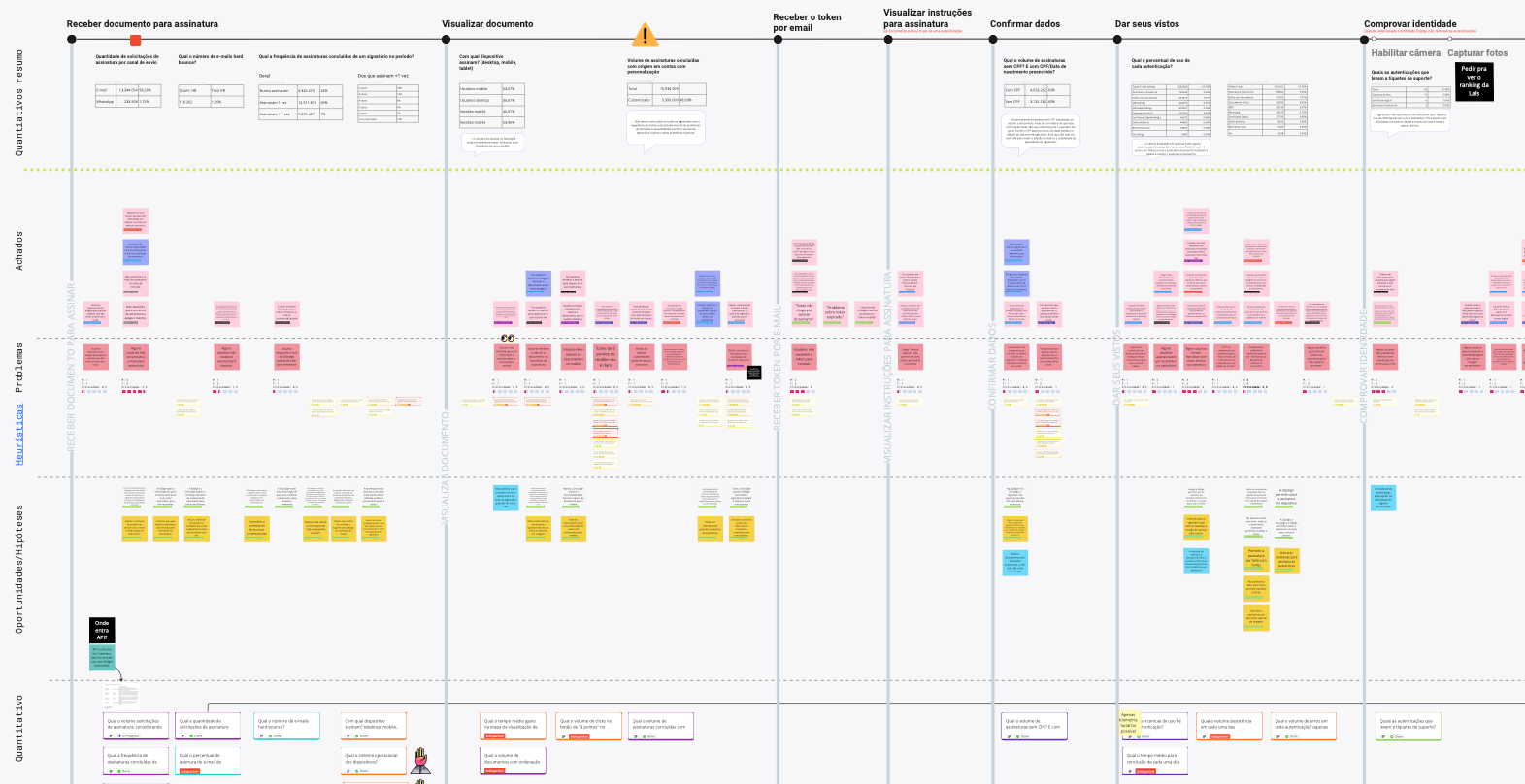
I brought everything together in a signer journey map: the stages at the top and, under each one, the problems found by source, the heuristics affected and some usage data.
9 opportunities in 4 groups
- Emails (3): send fewer emails during signing; make the copy clearer; give more prominence to important and help information.
- Access (3): improve document reading on mobile; make it easier to create an account and access signed documents; let people recover expired links.
- Authentication (2): use features like animation to show the steps of the more complex authentication methods; improve authentication by handwritten signature.
- Channels (1): consider new channels, such as WhatsApp.
What I would measure
To know whether the changes work, I would track two numbers: tickets about authentication and operator accounts created just to access a document.